Insights
The AI Catalyst: Why Intelligent Agents Are Driving the Migration from Salesforce to Dynamics 365
Your CRM should be your greatest asset, not your biggest roadblock. For too long, businesses have been tethered to inflexible, costly platforms that trap valuable data and stifle the very innovation they were meant to inspire. It’s a familiar story of diminishing returns, and it’s time for a new chapter.
The U.S. enterprise software landscape is shifting rapidly as organizations look to modernize legacy CRM systems and reduce dependency on expensive, over-customized platforms. One of the biggest trends in this evolution is the move from Salesforce to Microsoft Dynamics 365, driven by tighter integration with Microsoft’s ecosystem, cost efficiencies, and embedded artificial intelligence.
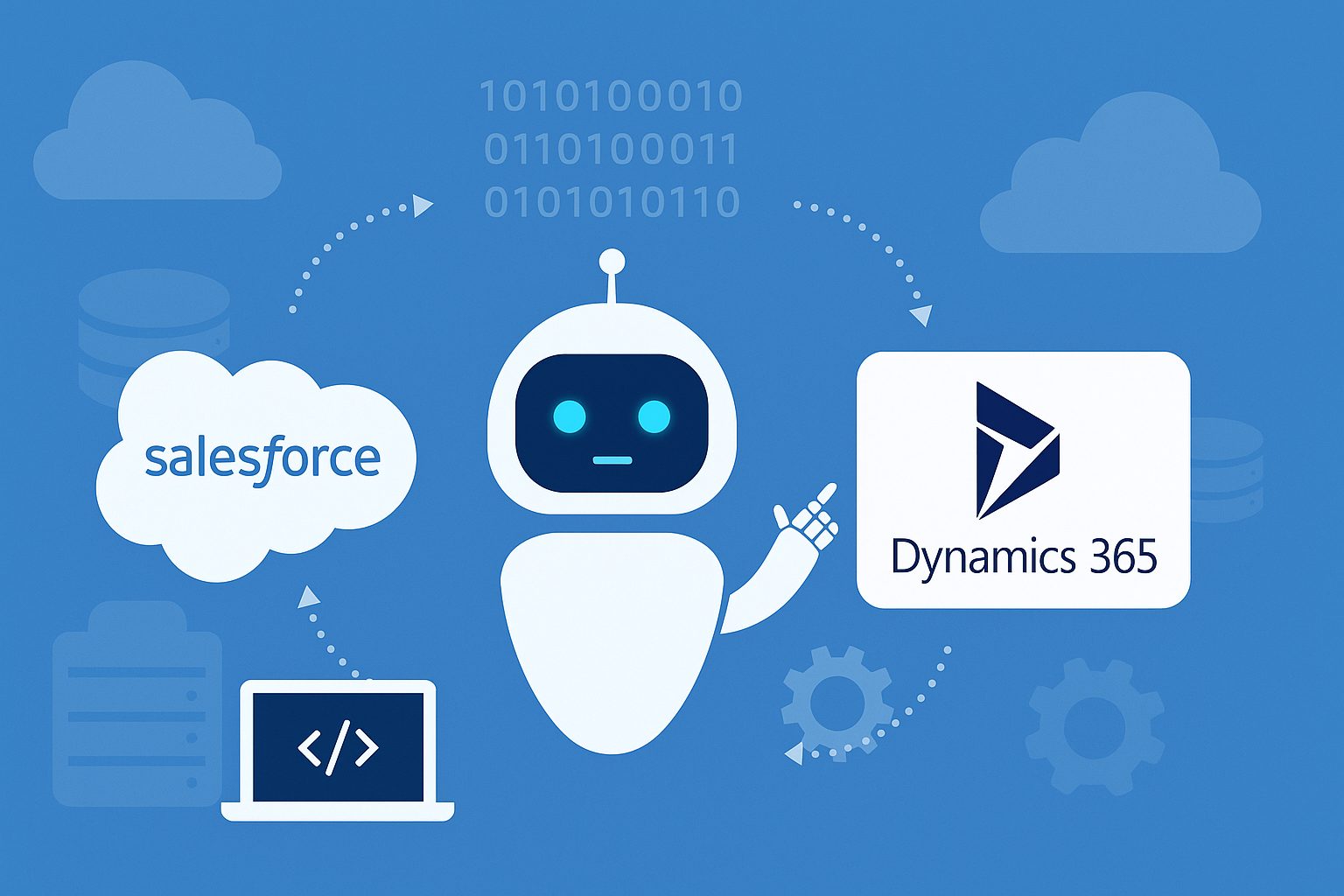
However, traditional CRM migrations are complex, expensive, and error-prone. This is where AI agents—intelligent, autonomous systems capable of understanding, reasoning, and acting—are fundamentally changing how migrations are executed. In IT companies in the U.S. market, the adoption of AI-driven migration frameworks is accelerating project delivery, improving accuracy, and creating new competitive advantages.
The Shift from Salesforce to Dynamics 365
For over two decades, Salesforce dominated the CRM market with its cloud-first approach and ecosystem of add-ons. Yet, the landscape has changed. Many U.S. IT firms and mid-sized enterprises are re-evaluating their investments due to:
- High licensing costs and unpredictable subscription growth.
- Fragmented integrations across productivity, communication, and analytics tools.
- AI add-on complexity, requiring separate configurations or additional licensing.
- The need for tighter alignment with Microsoft 365, Teams, Azure, and Power Platform.
By contrast, Dynamics 365 offers a unified platform with native integration to Microsoft Copilot, Power BI, and Azure AI Services. This seamless connection enables automation, real-time insights, and scalability—making it an appealing destination for businesses looking to combine operational efficiency with AI innovation.
But despite these benefits, migrating from Salesforce to Dynamics 365 is traditionally a major undertaking involving schema redesign, data mapping, code transformation, and process re-engineering. That’s where AI agents enter the equation.
Understanding AI Agents in Migration
An AI agent is an intelligent software entity that perceives its environment, reasons about it, and takes action autonomously or semi-autonomously to achieve specific goals. Within the migration context, AI agents are used to:
- Analyze existing Salesforce metadata and configurations.
- Infer optimal data mappings to Dynamics 365 entities.
- Convert business logic from Apex code to Power Automate or C# plugins.
- Cleanse, de-duplicate, and transform large volumes of data automatically.
- Test, validate, and reconcile migrated datasets with minimal human intervention.
- Provide real-time conversational assistance to engineers through natural language prompts.
Unlike static scripts or pre-defined ETL jobs, AI agents learn dynamically. They can understand complex dependencies between CRM objects, recommend improvements, and adapt to organizational rules—resulting in migrations that are faster, cheaper, and more accurate.
The Evolution of AI-Powered CRM Modernization
In recent years, several key developments have made AI-driven CRM migrations viable at scale:
- Generative AI advancements – Language models now understand code, metadata, and schemas well enough to propose mappings or rewrite logic between platforms.
- Microsoft’s AI Copilot ecosystem – Integrated assistants like Sales Copilot and Service Copilot extend automation directly into Dynamics 365 workflows.
- Vendor accelerators – Companies like Persistent, TCS, and Infosys are building proprietary AI frameworks that cut migration effort by up to 50 percent.
- Azure OpenAI and Dataverse APIs – These allow enterprises to fine-tune AI agents for CRM-specific data structures and domain contexts.
For U.S. IT consulting firms handling multiple migrations per year, these innovations mean less manual scripting and more intelligent automation, enabling predictable delivery and improved ROI for clients.
How AI Agents Transform Each Migration Stage
At congruentX, our unwavering commitment to client success has driven us to pioneer a migration methodology that is both seamless and strategic. We’ve long perfected a streamlined process for transitioning partners from Salesforce to the dynamic Microsoft ecosystem.
But today, the power of artificial intelligence has redefined that process. By embedding intelligent AI agents into the core of our framework, we have elevated our proven process into its next evolution. We are leveraging AI to bring unprecedented precision, speed, and strategic value to every phase of the journey. Here’s where we’ve seen the most benefit using AI agents for the Salesforce Switch:
1. Assessment and Discovery
Traditional discovery involves manually reviewing thousands of Salesforce objects, fields, and triggers. AI agents now automate this phase by scanning metadata, logs, and code repositories to generate detailed dependency maps. They highlight redundant fields, unused workflows, and bottlenecks that need re-engineering before migration.
This speeds up scoping by weeks and ensures more accurate project planning.
2. Mapping and Design
Mapping Salesforce entities to their Dynamics 365 counterparts has historically been labor-intensive. AI agents accelerate this process by leveraging large datasets of past migrations and CRM schema knowledge. They automatically suggest one-to-one mappings for standard objects and identify transformation rules for custom fields.
For example, if Salesforce uses a custom “Opportunity Stage” field with picklist values, the agent can automatically map it to a Dynamics choice set, maintaining semantic equivalence.
3. Code and Workflow Transformation
One of the hardest parts of CRM migration is rewriting Apex triggers, Visualforce pages, or Process Builder flows into Dynamics equivalents. AI agents trained on both Salesforce and Dynamics 365 SDKs can now auto-generate equivalent Power Automate flows or C# plugin templates.
This dramatically reduces developer time and minimizes human error. Complex business logic that previously took days to re-implement can now be scaffolded automatically and reviewed by engineers for fine-tuning.
4. Data Migration and Cleansing
Data consistency is crucial in CRM systems. AI agents use machine learning to detect duplicates, validate field patterns, and correct inconsistencies before migration. They can identify when multiple records refer to the same customer, or when legacy IDs conflict.
During the ETL (extract-transform-load) process, AI agents monitor anomalies, flag failures, and even propose rollback actions—ensuring integrity from Salesforce export to Dynamics 365 import.
5. Testing and Validation
Validation traditionally involves sampling or manual comparison of records. AI-powered testing agents now automate full data reconciliation by comparing migrated datasets field-by-field. They can also simulate workflows to ensure functional parity—for example, testing that lead assignments, opportunity scoring, or customer journeys work identically post-migration.
This improves accuracy and provides early visibility into discrepancies.
6. User Training and Adoption
Once migration is complete, user adoption becomes critical. Embedded AI agents like Dynamics 365 Copilot or Sales Agent act as in-app guides. Users can ask questions such as “How do I create a new lead from an email?” or “Show my pending opportunities for this week,” and the AI responds contextually.
This reduces the learning curve and encourages faster adoption across sales, service, and marketing teams.
Key Benefits for U.S. IT Companies
The benefits for making the switch are immense, and we’ve see for IT service providers and enterprise clients in the U.S., AI agent-driven migrations offer several tangible benefits:
1. Faster Time-to-Value
AI automation shortens project timelines by 30–50 percent, reducing downtime and accelerating return on investment.
2. Cost Efficiency
By minimizing manual data mapping, testing, and re-coding, organizations can save millions annually on large-scale CRM modernization programs.
3. Improved Accuracy
Machine learning ensures consistent rule application, reducing human oversight errors and ensuring data integrity across millions of records.
4. Scalable and Repeatable Framework
Once an AI migration pipeline is built, it can be reused across multiple clients or departments, giving IT companies a reusable intellectual property base.
5. Seamless Integration with Microsoft Ecosystem
Migrating to Dynamics 365 not only modernizes CRM operations but also aligns with Microsoft 365, Teams, and Azure AI Services, unlocking synergies across productivity tools and data analytics.
Challenges and Considerations
However, like with any change, realizing the full potential requires navigating the landscape with foresight and expertise. U.S. IT leaders should approach AI-powered CRM migration strategically. The most common challenges include:
1. Data Quality Issues
AI can’t fix fundamentally flawed data without human oversight. Pre-migration audits remain essential to identify legacy inconsistencies.
2. Model Explainability
AI agents can sometimes make opaque decisions. Organizations should implement explainable AI frameworks to ensure mappings and transformations are transparent.
3. Security and Compliance
Migrating sensitive customer data demands strong governance. Ensure your AI tools comply with GDPR, CCPA, and SOC 2 standards. Microsoft’s compliance architecture offers a solid foundation here.
4. Human Oversight
While AI accelerates automation, complex logic or regulatory workflows still need manual validation by CRM architects and domain experts.
5. Change Management
Adopting Dynamics 365 and new AI-driven workflows requires a structured change program, including end-user communication and training.
Best Practices for AI-Enhanced CRM Migration
Drawing from our experience guiding partners through this pivotal journey, we have developed these best practices to ensure a seamless and successful transition. To maximize results, U.S. IT companies should adopt the following best practices:
- Begin with a pilot project. Start small—perhaps with the Sales Cloud module—before scaling to the full CRM suite.
- Integrate humans in the loop. Treat AI agents as co-pilots, not replacements, ensuring architects validate all key decisions.
- Create governance layers. Track AI decisions with audit logs, version control, and change approvals.
- Prioritize data readiness. Cleanse, de-duplicate, and standardize before migration to reduce AI confusion.
- Leverage Microsoft’s AIM program. Microsoft’s “Accelerate, Innovate, Move” (AIM) offers structured migration paths, funding, and AI modernization templates.
- Embed AI from day one. Once live, activate Copilot for Dynamics 365 so employees immediately benefit from intelligent recommendations.
- Measure outcomes. Track migration speed, data integrity, user adoption, and performance improvements to refine the process for future projects.
Real-World Example: A U.S. SaaS Company
Imagine a mid-sized SaaS firm in California with 1 million Salesforce records, multiple custom objects, and 50 Apex triggers. The company decided to move to Dynamics 365 Sales and Customer Service to leverage Microsoft AI.
Using AI migration agents, the firm completes:
- Automated assessment within two days instead of three weeks.
- Schema mapping and code translation in under a week.
- AI-driven data cleansing identifying 20 percent duplicate records before import.
- Validation and user training using in-app Copilot prompts.
The migration finishes in six weeks instead of three months, cutting costs by nearly half and launching a new era of AI-driven customer engagement.
The Future of AI-Driven CRM Migrations
Looking ahead, AI agents will continue to evolve across several fronts:
- Predictive Migration Planning – Agents will forecast risk, time, and cost based on historical data.
- Continuous Learning – Each migration improves the model, creating a self-optimizing system.
- Full Autonomy – Future agents may execute entire migrations with minimal human intervention.
- AI Governance Standards – Expect new compliance frameworks governing autonomous migration decisions.
- End-to-End Cloud Modernization – AI agents will extend beyond CRM into ERP, HRM, and analytics platforms.
These developments open a new business frontier: offering AI-powered migration as a service, with reusable frameworks, accelerators, and domain expertise that differentiate them from competitors.
Your Strategic Path Forward
AI agents are redefining how Salesforce to Dynamics 365 migrations happen. By combining automation, intelligence, and human oversight, organizations can cut project times in half, reduce risk, and unlock immediate access to Microsoft’s AI-driven ecosystem.
For IT companies in the U.S., embracing this technology means more than operational efficiency—it’s a strategic pivot toward the future of intelligent digital transformation.
If your enterprise or client base is exploring CRM modernization, now is the time to evaluate how AI agents can make your Salesforce to Dynamics 365 migration faster, smarter, and more resilient. This is more than a technical upgrade; it’s a foundational step toward achieving true operational excellence and empowering your team for what’s next.
If you are ready to explore how this transformation can empower your organization, our team is prepared to build that partnership with you. Contact us to begin the conversation and map out your strategic next steps.
To learn more about leveraging AI for meaningful change, we invite you to view our webinars and gain deeper insights from our experts.
Frequently Asked Questions (FAQ)
1. What are AI agents in the context of CRM migration?
AI agents are intelligent, autonomous software programs that analyze, map, and execute tasks during the migration process. In a Salesforce to Dynamics 365 migration, they help automate data mapping, code transformation, testing, and validation—reducing manual workload and human error.
2. Why are U.S. IT companies adopting Dynamics 365 over Salesforce?
Many U.S. enterprises are choosing Dynamics 365 for its native integration with Microsoft 365, Power Platform, and Azure AI services. It offers a lower total cost of ownership, strong data security, and embedded AI capabilities like Copilot, making it ideal for organizations already using Microsoft tools.
If your organization is ready to make the switch and leverage these powerful advantages, contact us to begin your transformation.
3. How do AI agents improve migration speed and accuracy?
AI agents can analyze Salesforce data models, automatically generate mappings to Dynamics 365 entities, and validate results in real time. They also detect data anomalies, duplicates, and inconsistencies—ensuring clean, accurate, and fast migrations compared to manual methods.
4. Can AI agents replace human engineers entirely?
Not yet. While AI agents automate repetitive and analytical tasks, human oversight remains essential for strategy, governance, and handling edge cases. The best results come from a human-in-the-loop approach where engineers supervise, validate, and fine-tune AI outputs.
5. Is data security maintained during AI-assisted migrations?
Yes. When using Microsoft-certified AI tools and Azure infrastructure, data remains encrypted, access-controlled, and compliant with GDPR, CCPA, and SOC 2 standards. Organizations should still audit all AI activities and maintain full control of their CRM data.
6. What are the biggest challenges in AI-driven CRM migration?
Key challenges include data quality issues, model explainability, and change management. Poorly structured legacy data can confuse AI models, while users may need training to adapt to AI-powered workflows. Careful planning and governance can mitigate these risks.
Navigating these complexities is precisely why a strategic partnership is critical. Participating in our Envisioning Lab provides the customized roadmap needed to ensure a successful and seamless transformation.
7. How does Microsoft Copilot fit into the Dynamics 365 ecosystem?
Microsoft Copilot acts as a built-in AI assistant within Dynamics 365 Sales, Service, and Marketing apps. It helps users with task automation, natural-language queries, and contextual insights—ensuring that post-migration, teams can immediately leverage AI for productivity.
8. How long does a typical Salesforce to Dynamics 365 migration take with AI agents?
For mid-sized U.S. IT firms, a traditional migration might take 8–12 weeks. With AI automation, the timeline can drop to 4–6 weeks, depending on complexity, data volume, and customization levels.
Our process is backed by an unwavering commitment and a guarantee of completion in under 90 days, a timeline we’ve consistently improved upon by leveraging AI agents. To learn more about this accelerated framework, we invite you to visit our Salesforce Switch page.
9. What ROI can companies expect from AI-powered migrations?
U.S. companies report 30–50% savings in project costs and significantly reduced downtime. Beyond financial gains, the long-term ROI includes better user adoption, higher data accuracy, and AI-ready CRM infrastructure.
10. Are AI migration tools customizable for unique business processes?
Yes. AI agents can be fine-tuned to align with industry-specific workflows, data models, and compliance rules. Many IT firms in the U.S. now build custom AI playbooks for recurring migration projects, improving performance and reusability over time.